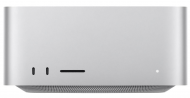
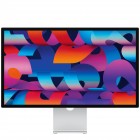
We offer a wide variety of Apple products that are in stock and competitively priced. Whether you are looking for the latest Mac Pro, MacBook, iPad, Apple TV, or HomePod our prices and support can’t be matched anywhere in the Triangle. TenPlus Systems is an Apple Authorized Service Provider and Value Added Reseller.
When it comes to choosing a laptop operating system, there are two main contenders: macOS and Windows. Both have their own strengths and weaknesses, so it's important to weigh your options carefully before making a decision.
macOS
MacOS is exclusive to Apple computers. Unlike Windows, you can’t find other computer manufacturers producing units that run this operating system. This exclusivity gives Apple more control over user experience, ensuring that macOS is optimized to work seamlessly with other Apple products.
Pros
User-friendly interface
Smooth performance
Secure
Wide range of apps available
Good battery life
Cons
Can be expensive
Not as customizable as Windows
Not as many games available
Windows
Windows is a more accessible operating system that is the most common among computer manufacturers. Since it’s widely used, Windows users benefit from a lot of computer brand and model choices and customization.
Pros
Wide range of hardware support
More customizable than macOS
More games available
More affordable
Cons
Can be less user-friendly than macOS
Not as secure as macOS
Performance can be inconsistent
Which one is right for you?
The best way to decide which operating system is right for you is to consider your needs and preferences. If you're looking for a user-friendly and secure operating system with a wide range of apps available, then macOS is a good choice. If you need an operating system that's highly customizable and has a wide range of games available, then Windows is a good choice.
Here is a table that summarizes the key differences between macOS and Windows:
Feature
macOS
Windows
User-friendliness
Easy to use
More complex
Performance
Smooth
Can be inconsistent
Security
Very secure
Less secure
App availability
Wide range of apps available
More games available
Customization
Not as customizable as Windows
Highly customizable
Price
More expensive
More affordable
Ultimately, the best way to decide which operating system is right for you is to try both and see which one you prefer. You can do this by installing a virtual machine on your current computer or by purchasing a new laptop with the operating system you want.
Here are some additional factors to consider when choosing between macOS and Windows:
Your budget: macOS laptops are typically more expensive than Windows laptops.
Your needs: If you need a laptop for work, macOS is a good choice because it's very secure. If you need a laptop for gaming, Windows is a good choice because there are more games available.
Your preferences: If you prefer a user-friendly interface, macOS is a good choice. If you prefer a highly customizable operating system, Windows is a good choice.
If you need an expert opinion or you’re looking for an Apple Authorized Reseller and Lenovo Authorized reseller, reach out to TenPlus Systems.